Wireless presentation remote for PowerPoint

Your phone is the clicker

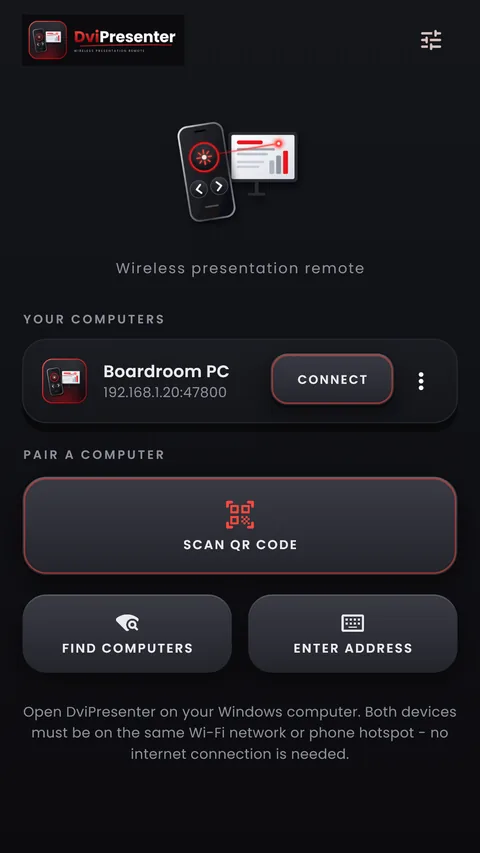
DviPresenter turns your Android phone into a presentation remote with big Next and Previous keys, a laser pointer and volume-key control. The phone talks straight to PowerPoint on your Windows PC over your own Wi-Fi or hotspot: no account, no internet needed.

Windows 10 and 11 (64-bit) · Microsoft PowerPoint desktop app

The Android app is coming to Google Play. Want it sooner? Join the beta: email us the Google account (Gmail) you use on your Android phone, and we'll send you the test link.

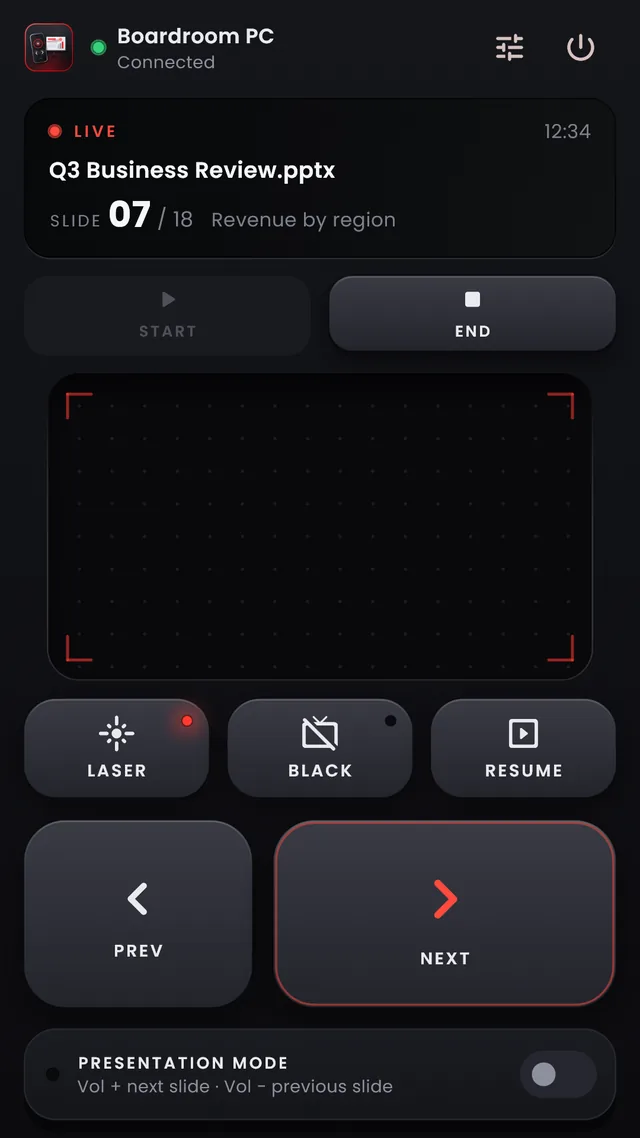
DviPresenter remote on a phone: a live slideshow at slide 7 of 18, a laser pad, and large Prev and Next keys
Features

Everything a clicker does, and a laser too

Built for presenting in real rooms: keys you can find without looking, and nothing that fires by accident.

  • Keys you can feel

    Big Next and Previous keys sit in your thumb's reach, press down and click. A key fires when your finger lifts, so sliding off cancels it, and two fingers at once are ignored.

  • Laser pointer on the big screen

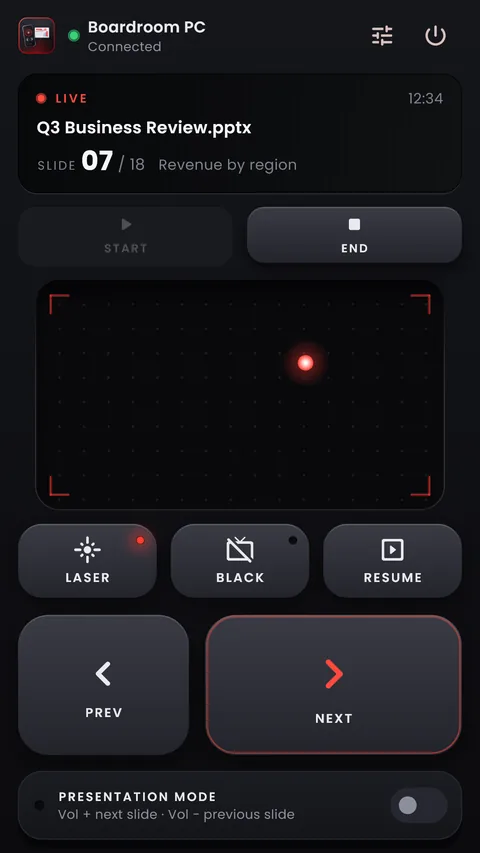
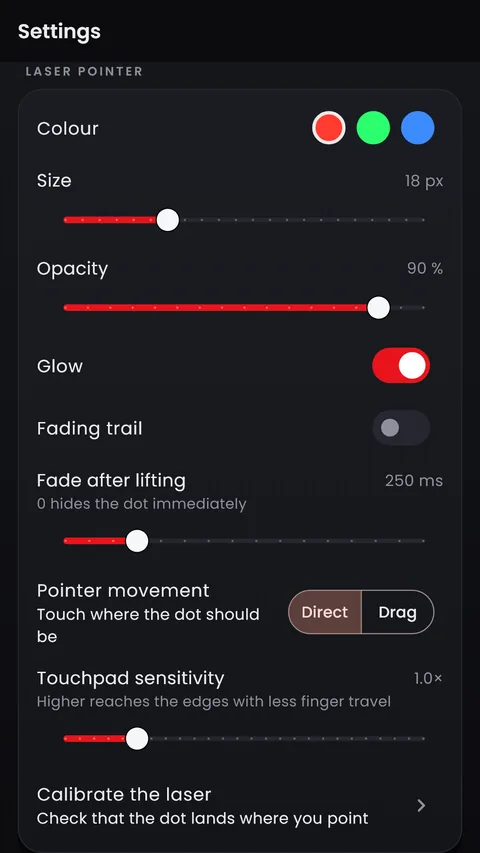
    Move a finger on the pad and a laser dot follows on the display showing your slideshow. Choose its colour, size, glow and trail.

  • Volume keys change slides

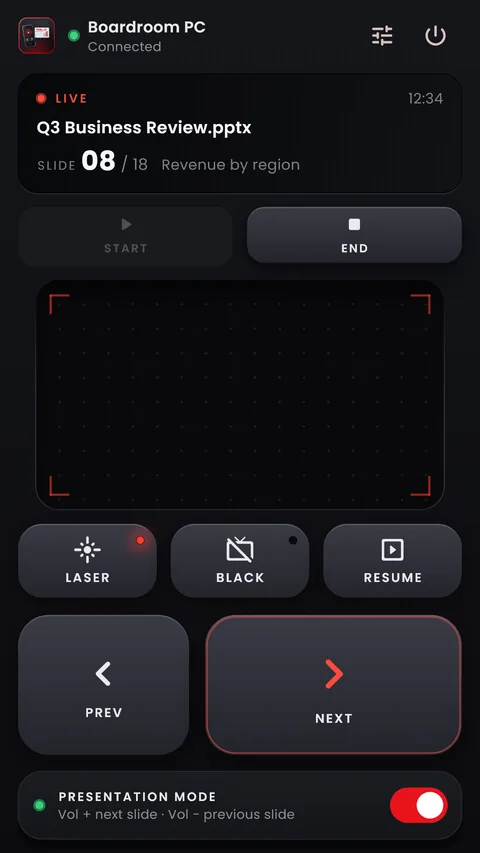
    Switch on Presentation Mode and Vol + and Vol − move to the next and previous slide while DviPresenter is on screen. Present without looking down.

  • Full slideshow control

    Start, End, Black screen and Resume, with the slide number, slide title and elapsed time on your phone.

  • Paired, approved, encrypted

    Scan the QR code on your PC and approve the phone there. The connection is encrypted and pinned to your PC's certificate, and stays on your local network.

  • Works on any Wi-Fi or hotspot

    No internet and no account. If the Wi-Fi drops, the remote reconnects by itself, and a press that arrives late is ignored rather than firing by surprise.

The app

Made for your thumb

Get started

Ready in three steps

  1. Install on Windows

    Download and run the installer. It adds DviPresenter to the Start menu and, with the recommended option, allows it through Windows Firewall on private networks.

  2. Get the Android app

    Install DviPresenter on your phone. Put the phone and the PC on the same Wi-Fi, or connect the PC to the phone's hotspot.

  3. Pair and present

    Tap Scan QR code on the phone and click Allow on the PC. Open your deck in PowerPoint and press Start.

Download

DviPresenter Desktop for Windows

Version 1.0.0, released . Free.

No install

Portable ZIP

Unzip anywhere and run DviPresenter.exe. Use Allow in firewall on its Connect page so your phone can reach it.

File
DviPresenter-1.0.0-windows-x64.zip
Size
52.2 MB
SHA-256
b2b68bf83dd307b011f24b3defd2785897664c236934b63450f42774a0c57f80
Download ZIP
  • Windows 10 or 1164-bit
  • Microsoft PowerPointDesktop app: Microsoft 365, 2021, 2019 or 2016
  • Android 7.0 or laterPhone or tablet
  • Same networkWi-Fi or the phone's hotspot; no internet needed

If Windows says “Windows protected your PC”

DviPresenter is new and not yet code-signed, so Windows SmartScreen may warn you before the first run. Check that the file's SHA-256 matches the one above, for example in PowerShell: Get-FileHash .\DviPresenter-Setup-1.0.0.exe. If it matches, choose More info, then Run anyway. All checksums: SHA256SUMS.txt.

Help

Questions

My phone can't find or connect to the PC

Make sure both are on the same Wi-Fi network, or that the PC is connected to the phone's hotspot. Windows must treat that network as Private (Settings › Network & internet › Wi-Fi › your network); new networks and hotspots often start as Public, where Windows blocks incoming connections.

DviPresenter's Connect page warns you when the network is Public or the firewall blocks it, and its Allow in firewall button adds the rules. You can also pair by typing the address and pairing code shown on the Connect page.

Does it need an internet connection?

No. The phone talks directly to your PC over the local network, so a phone hotspot works even with mobile data switched off.

Which versions of PowerPoint work?

The PowerPoint desktop app for Windows: Microsoft 365, 2021, 2019 or 2016. PowerPoint for the web and other presentation programs are not supported.

Is it safe on hotel or venue Wi-Fi?

A phone can only control your PC after you approve it on the PC, and the connection is encrypted. On networks you can't mark as Private, connect the PC to your phone's hotspot instead: it keeps the pairing prompt away from everyone else on the venue network.

Is there an iPhone app?

Not yet. The phone app is for Android 7.0 or later, on phones and tablets.

How do I uninstall it?

Windows Settings › Apps › Installed apps › DviPresenter › Uninstall. This removes the program and its firewall rules. Your settings and the list of approved phones stay in %APPDATA%\DviPresenter until you delete that folder.